The Great Tracking Shift: A Startup Guide to Server-Side Tracking
In the modern digital advertising landscape Server-Side Tracking is no longer optional. Fortunately, Cloudflare's Zaraz implementation is making it easier, better and cheaper to implement for startups and small to mid-sized businesses.
The Great Tracking Shift: Why 2020 Changed Everything
If you have noticed that your Facebook Ads and Google Analytics data hasn't felt 'right' for a few years, you are not alone. The digital landscape underwent a seismic shift around 2020. With the release of Apple’s iOS 14.5 and the subsequent 'App Tracking Transparency' (ATT) prompt, users gained the power to opt out of tracking with a single tap. For startup founders and small to medium sized business owners, this felt like flying blind. Suddenly, the website and advertising data you relied on to justify your ad spend was missing, making it look like your ads weren't working when, in reality, they were simply invisible to your tracking tools.
This shift wasn't just about Apple. Privacy-focused browsers like Safari and Firefox began shortening the lifespan of tracking cookies, and ad blockers became more prevalent among savvy consumers. You've certainly read web industry articles referencing to the 'death of the third-party cookies' on this topic. For a startup, this means your customer acquisition costs (CAC) likely spiked because the algorithms powering Meta and TikTok ads stopped receiving the feedback they needed to find your ideal buyers. The solution to this problem is server-side tracking, but for a long time, this was a complex technical setup only enterprise companies could afford.
The Analogy: From Mail Carriers (3rd-Party) to Personal Assistant (Server-Side)
To understand the difference between the old third-party way and the new server-side way, think of your website as a retail store. In the old 'client-side / 3rd-party cookie' model, every time a customer makes a purchase their computer's browser (Chrome, Safari, Firefox) has to operate like a mail carrier and run messages to 10 different offices (Facebook, Google, Reddit, TikTok, etc.) to tell them what happened. If a shopper's browser has a new policy or gate blocking those types mail carriers from being involved then the messages never get sent. In the 'server-side' model, you have a personal assistant (a server) standing in a private room of your retail store. Every time a sale happens, you tell the assistant once, and they use a private, secure phone line to call all the offices (Facebook, Google, Reddit, TikTok, etc.) simultaneously. It is faster, more reliable, and much harder to block.
The Barrier: Why Startups and Small Businesses Stayed Away
Until recently, setting up that 'personal assistant' (the server) was a real pain for non-developers. To run server-side tracking through Google Tag Manager (GTM), you might have had to setup a unique subdomain or had to provision servers on Google Cloud Platform, and handle complex technical configurations. For a startup with a lean team, this meant hiring an expensive consultant or pulling a developer away from building the actual product. Most small businesses looked at the complexity and simply decided to stick with the broken 'client-side' mail carrier, accepting the loss in data accuracy.
The Solution Hierarchy: Choosing Your Path
When looking at server-side tracking today, three main paths exist. Understanding where Cloudflare Zaraz fits into this hierarchy is essential for making the right choice for your business. Let's break down the 'Gold Standard,' the 'Middle Ground,' and our 'Hero' solution.
The Gold Standard: GTM Server-Side
Google Tag Manager (GTM) Server-Side is the most powerful tool available. It offers total control over your data. However, it requires a high level of technical skill and carries a recurring cost for server maintenance. It is the 'Ferrari' of tracking—excellent performance, but you need a mechanic to keep it running and a big budget for fuel. For most startups, this is overkill and creates unnecessary technical debt.
The Middle Ground Trap: Google Tag Gateway
Google recently introduced 'Tag Gateway' to make server-side tracking easier. While it simplifies the setup compared to a full GTM server, it has a major limitation: it is largely designed for the Google ecosystem. It works great for Google Ads and GA4, but it doesn't solve the problem for your Meta (Facebook), Reddit, or TikTok ads. For a startup trying to diversify its marketing, this 'easy' solution often leaves you with half-baked data for your most important social channels.
The Hero: Cloudflare Zaraz
Enter Cloudflare Zaraz. This is the 'sweet spot' for startups and small to mid-sized businesses. Zaraz runs on Cloudflare’s global network, meaning it is incredibly fast. Instead of you having to build and manage a server, Cloudflare handles it all. It allows you to load your tracking tools (Meta Pixel, Google Analytics, etc.) directly on their 'edge' servers. It is often free for small businesses with low-to-mid traffic, and most importantly, it supports third-party platforms out of the box. It offers the power of a server-side setup without the enterprise price tag or technical headache.
Comparison: Cloudflare Zaraz vs. Google Tag Gateway
Choosing between these two depends on your goals. If you only care about Google Ads, the Gateway might suffice. But if you are a modern startup, Zaraz is almost always the better choice. Let's look at why.
- Ecosystem Reach: Tag Gateway is Google-centric (meaning it assists in Google Ads tracking, but doesn't help with other ad platforms like Meta / Facebook). Zaraz is platform-agnostic, supporting Meta (Facebook, Instagram), LinkedIn, TikTok, Bing, and more with dedicated integrations.
- Site Speed: Every tracking script you add to your website slows it down. Zaraz moves those scripts off the user's computer and onto Cloudflare's servers. This can significantly improve your Lighthouse and Core Web Vitals scores, which helps with SEO.
- Ease of Use: Zaraz uses a dashboard that feels familiar to anyone who has used a basic CMS. You don't need to touch code or manage a cloud server billing account.
- Cost: Zaraz has a generous free tier (sufficient for most Startups and small businesses). It's similar to Google Tag Gateway which can involve some level of cloud consumption costs once you hit a certain volume of traffic.
Zaraz as a GTM Replacement
One of the most liberating aspects of Cloudflare Zaraz is that for 90% of startups, it can entirely replace Google Tag Manager. Many businesses use GTM as a container to hold their tracking pixels. Zaraz does the same thing, but better. By removing the heavy GTM script from your website and moving the logic to Zaraz, your site loads faster for users while your data quality improves. Simplifying your 'stack' this way reduces the number of things that can break and makes it easier for a marketing manager to see exactly what is being tracked without getting lost in a maze of GTM tags, triggers, and variables.
The Cost Savings of Zaraz vs. GTM Server-Side
Let's talk numbers. Running a top-notch GTM Server-Side setup requires at least three Google Cloud instances for redundancy. This typically starts at $120 USD per month. Over a year, you are spending nearly $1,500 just for the privilege of tracking your own data. Cloudflare Zaraz offers a 'Free' tier that covers up to 100,000 'events' per month. For many growing startups and small to mid-sized businesses, this is more than enough to get started. Even their paid 'Pro' tier is significantly more affordable and predictable than cloud server billing, which can fluctuate based on traffic spikes.
Non-Technical Implementation Guide
You don't need to be a coder to set up Zaraz. If your website already uses Cloudflare for security or DNS (which many do), you are halfway there. Here is the high-level logic of the setup process:
Step 1: Locate the Zaraz Dashboard
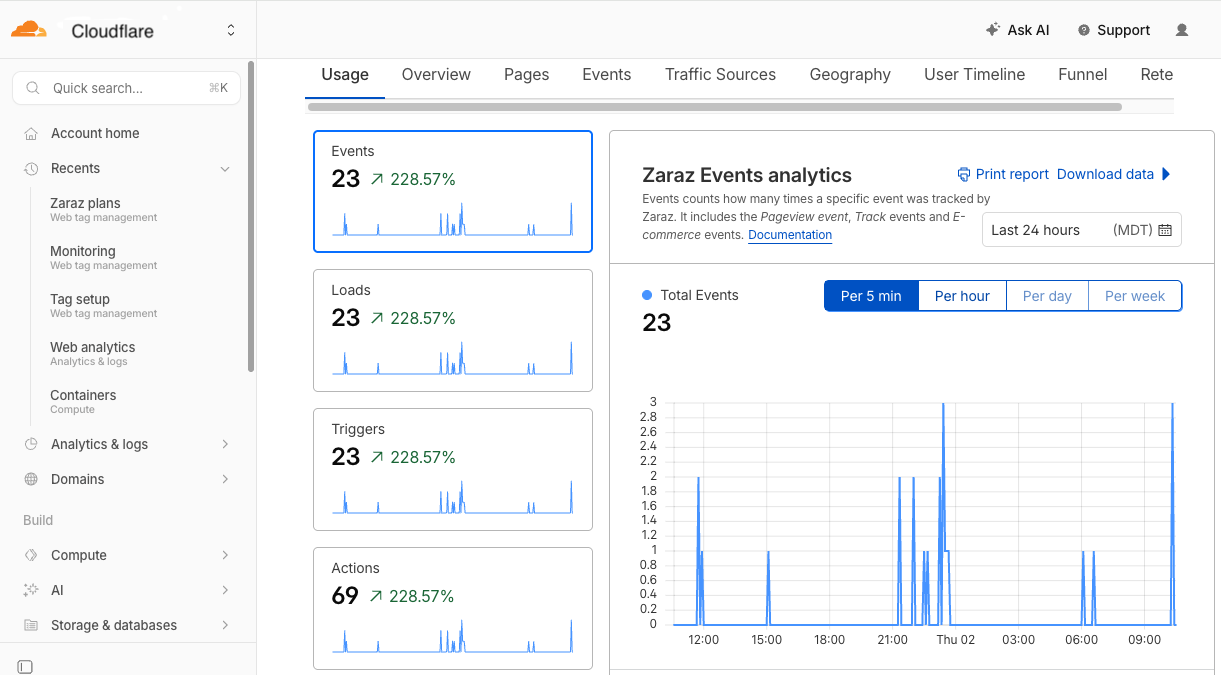
Log in to your Cloudflare account and find the 'Zaraz' icon in the sidebar. This is your command center. Because Zaraz is integrated into your website's infrastructure, it doesn't need an extra script installed manually; it 'injects' itself automatically from the server level.
Step 2: Add Your Tools
Zaraz has a library of 'Third-party Tools.' You simply click 'Add Tool' and select things like 'Meta Pixel' or 'Google Analytics 4.' You will be prompted to enter your ID numbers (like your Pixel ID), similar to how you would in a WordPress plugin.
Step 3: Define Your Triggers
A 'Trigger' is just a rule that tells Zaraz when to send data. For example, you might create a trigger for 'Pageview' (runs on every page) or 'Purchase' (runs only on your thank-you page). You don't write code; you just select the page URL or a button click from a dropdown menu.
Step 4: Create Actions
An 'Action' tells the tool what to do when a trigger happens. If the 'Purchase' trigger fires, the 'Action' tells the Meta Pixel to report a 'Purchase' event along with the value of the sale. Zaraz makes this simple with pre-built templates for common events.
Step 5: Test and Publish
Zaraz includes a 'Preview' mode that lets you browse your site and see exactly what data is being sent to your marketing platforms in real-time. Once you verify that everything is working, you hit 'Publish,' and your server-side tracking is live!
Conclusion: Why Wait?
In the competitive world of startups, data is your most valuable asset. Using outdated client-side tracking is like trying to navigate a forest with a map from 1950—things have changed, and you are going to get lost. Cloudflare Zaraz offers a rare 'win-win-win' scenario: it improves your site's speed, it protects your users' privacy, and it gives your ad platforms the accurate data they need to perform. By moving your tracking to the edge, you are future-proofing your business against further privacy changes while keeping your technical stack lean and your costs low.
Mountainous Marketing is available to advise on marketing strategies, tech implementations and analytic designs. Contact Us
Contact Mountainous Marketing: 9705861133 · Colorado